By Sienna Ashford
A CNC wood router machine price can range from a few hundred dollars for a small hobby table to several thousand for a large production-grade gantry. This guide explains what drives that number, which specifications are worth paying for, and how to match a machine to the projects you actually plan to build. By the end, you will know how to compare quotes on an equal footing and avoid overpaying for capacity you will never use.
Understanding the Main Factors Behind CNC Router Pricing
Most of the variation in cnc wood router machine price comes from a handful of design choices. Bed size, frame rigidity, spindle type, drive system, and controller determine both how the machine performs and what it costs to make. Understanding these factors makes it much easier to read spec sheets and spot where a manufacturer is adding value versus simply adding size.
Shopping for one? See our guide: 8 Best Hobby CNC Wood Routers for Home Workshops (2026).
Work Area (Bed Size)
Work area is the single biggest driver of cost. Common hobby and small-shop sizes include 2 ft by 2 ft, 2 ft by 3 ft, and 4 ft by 4 ft. A larger bed requires a longer gantry, heavier rails, and more robust structural members to prevent deflection. Ask yourself the largest sheet you will regularly cut. A standard sheet of plywood is 4 ft by 8 ft, so a machine that accepts a full sheet will be considerably more expensive than one limited to half-sheets. If most of your work is cabinet doors, boxes, or signs under 24 inches, a smaller bed saves money without limiting you.
Frame, Gantry, and Rigidity
Two machines with identical bed sizes can differ widely in price because of frame construction. Heavier steel or aluminum extrusions, thicker gantry plates, and better-supported bearings reduce vibration and flex during cuts. Rigidity matters most when you run deep passes in hardwood or use larger bits. Cheap frames often show their limits as chatter marks, inaccurate dimensions, or a slightly out-of-square cut. Check whether the manufacturer lists the frame material and thickness. Vague descriptions usually mean lighter construction.
Spindle and Motor
The spindle is the cutting head, and its type strongly affects cost. Options include:
- Air-cooled wood routing spindles, often in the 1.5 kW to 2.2 kW range, which are common on hobby and small-shop machines.
- Water-cooled spindles, which run quieter and sustain heavy loads longer, and typically add to the price.
- Router-based setups, where a handheld-style router is mounted on the gantry. These are less expensive upfront but usually have lower power consistency and less precise collet runout.
Spindle power is only useful if the frame can handle it. A high-wattage spindle on a flimsy frame will not produce better results than a moderate spindle on a rigid one.
Drive System and Positioning Accuracy
Lead screws, ball screws, and rack-and-pinion drives all move the gantry differently. Ball screws offer better accuracy and speed, while rack-and-pinion systems suit very large beds because they scale more easily. Belt drives are common on lower-cost machines and are fine for light work, but they can stretch over time. Stepper motors are standard on most entry-level machines, while servo motors cost more and deliver smoother motion and better torque at speed.
Controller and Software
The controller interprets G-code and drives the motors. Some budget machines use simple USB controllers, while others use more capable boards with networking, touchscreen interfaces, or offline operation. Software also matters. Most hobbyists design in a CAD or vector program, generate toolpaths in a CAM program, and send the file to the machine. Some manufacturers bundle licenses for a particular CAM package, which can add value. Confirm whether the software is included or requires a separate purchase, since that difference can shift your total outlay considerably.
Step-by-Step: How to Estimate Your Real Budget
A machine’s listed cnc wood router machine price is rarely the full cost of getting to your first finished part. Working through the steps below gives you a realistic figure before you commit.
Step 1: Define Your Projects
Write down the three to five projects you most want to make over the next year. Note their maximum dimensions, the materials (solid hardwood, MDF, plywood, or aluminum), and the level of detail required. A machine that cuts 3/4-inch plywood cabinet parts has different needs than one carving relief panels from basswood.
Step 2: Match Bed Size and Power to Those Projects
Measure your largest project piece and add clearance for clamping and fixtures. Then choose the smallest bed that accommodates it with margin. For power, lean toward moderate spindle output unless you regularly cut dense hardwood at full depth. Pairing the spindle with a rigid frame will matter more than chasing peak wattage.
Step 3: Add the Hidden Costs
Plan for the following items, which are often left out of initial comparisons:
- Cutting bits matched to your materials, including spiral upcut, downcut, and compression bits
- Dust collection, since CNC routing creates heavy chips and fine dust
- Workholding such as vacuum tables, clamps, sacrificial spoilboards, and double-sided tape
- Shipping, crating, and any required freight handling for large machines
- Electrical service, particularly for spindles that draw significant current
- Replacement parts, including collets, belts, and limit switches over time
Step 4: Compare Quotes on the Same Basis
Build a comparison sheet with the same columns for every machine you consider: bed size, frame material, spindle type and power, drive system, controller, included software, warranty length, and included accessories. Keep the spec data side by side. This step prevents you from comparing a bare machine against one that includes a vacuum pump, a dust hood, and a software license.
| Feature | Entry-Level Hobby Machine | Mid-Range Small Shop Machine | Heavy-Duty Production Machine |
|---|---|---|---|
| Typical bed size | Under 2 ft by 3 ft | 2 ft by 4 ft to 4 ft by 4 ft | 4 ft by 8 ft and larger |
| Frame construction | Lighter steel or extruded aluminum | Thicker steel or reinforced extrusion | Welded steel with heavy rails |
| Spindle | Air-cooled, moderate power | Air-cooled or water-cooled, higher power | High-power spindle, often water-cooled |
| Drive system | Belt or lead screw with stepper motors | Ball screw or rack and pinion | Rack and pinion or servo-driven |
| Typical use | Signs, small parts, learning | Furniture parts, cabinetry, repeat work | Full sheet production and commercial output |
Practical Checklist Before You Buy
Use this checklist to confirm the machine fits your shop and workflow:
- Measure the floor space, including the clearance needed at the back for cables and the front for loading sheets.
- Confirm the available voltage and amperage in your shop, and check the spindle’s electrical requirements.
- Verify the software chain works with your design program and that you can export the file formats the controller accepts.
- Read the warranty terms, including what is covered on the spindle, motors, and controller.
- Ask whether replacement parts are stocked locally or shipped from overseas, since downtime can cost more than the part itself.
- Check whether a dust collector and vacuum hold-down are included or need separate purchase.
- Ask for a sample cut or a video of the machine running your type of material before ordering.
Common Mistakes When Comparing CNC Router Prices
The most common error is choosing the lowest headline number without checking what is included. A low listing may omit the spindle controller, the vacuum table, or the software, and those additions can close the gap quickly. A second mistake is buying more bed than you need. Large machines take up more room, need stronger dust collection, and consume more material on each setup. A third mistake is underestimating bit costs. Specialty bits for plywood or aluminum can be a significant recurring expense, so budget for a starter set rather than a single bit. Finally, many buyers ignore setup time. A machine that needs extensive calibration or manual homing may cost you hours each week, which matters if you are routing production runs.
Tips for Getting the Most Value
- Start with a machine that cuts the materials you use most, rather than the one with the biggest spec sheet.
- Ask about bundled starter kits that include a few bits, collets, and a basic workholding setup.
- Consider a rigid frame with modest spindle power before paying for a high-wattage spindle on a lighter frame.
- If you are new to the process, spend time learning feeds, speeds, and toolpath strategy on scrap material before cutting finished stock. Our guide on Measuring and Marking Wood Accurately will help you set up reference edges and zero points before you run a job.
- Keep a log of every job, noting the bit, feed rate, depth per pass, and result. This record shortens your learning curve and makes future purchase decisions easier.
Setting Up Your Work for Clean Results
Once the machine arrives, your early results depend on workholding and surface preparation. Flatten your spoilboard, secure stock with clamps or a vacuum hold-down, and check that your zero point is consistent from job to job. For cutting technique, our article on Cutting Wood Safely: Saws, Kickback and Guards covers general shop habits that also apply around routing equipment. Choosing the right stock matters too: Choosing Wood: Hardwood, Softwood, Plywood and Moisture explains how different materials respond to routing, which affects both cut quality and bit selection.
Recommended gear
Several accessories make a noticeable difference in routing quality and shop safety. Choose items that match your machine’s bed size and spindle type.
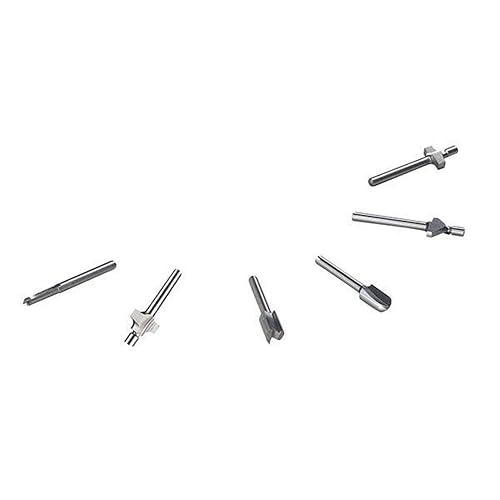
- Spiral upcut router bits, which clear chips efficiently and work well for general profiling and pocketing in plywood and solid wood. View on Amazon
- Compression router bits, which cut cleanly on both faces of sheet goods and reduce tear-out on veneered plywood. View on Amazon
- Shop vacuum with a cyclone separator, which captures the heavy chips a CNC produces and keeps the bed clear during long runs. View on Amazon
- Digital calipers, which let you check bit diameter, collet fit, and finished part dimensions quickly. View on Amazon
FAQ
What is a typical cnc wood router machine price for a hobbyist?
Hobby-oriented machines with small beds and air-cooled spindles are generally the entry point for home shops. The exact figure depends on bed size, frame quality, and what is included, so compare the complete package rather than the base unit alone.
Does a larger bed always mean a higher price?
In most cases, yes. Larger beds require longer rails, heavier gantries, and stronger frames to keep accuracy consistent. If your projects fit a smaller bed, you can often save money without sacrificing quality.
Are router-based CNC conversions cheaper than purpose-built machines?
Conversions usually cost less upfront because they reuse an existing router. However, they often have less consistent spindle performance and limited rigidity, so the trade-off is accuracy and repeatability rather than initial cost.
Should I buy software separately or choose a machine that includes it?
Bundled software can save time and reduce compatibility problems, but check the license terms and whether the included version has the features you need. Some buyers prefer to purchase a separate CAM program they already know.
What hidden costs should I budget for after buying a machine?
Plan for bits, dust collection, workholding, shipping, electrical upgrades, and eventual replacement parts such as collets and belts. These items often add more to the first-year total than many buyers expect.
How much does spindle power matter for cutting wood?
Spindle power affects how deep and how fast you can cut, especially in dense hardwoods. However, a rigid frame and proper feed rates matter just as much. A moderate spindle on a stable machine often outperforms a powerful spindle on a flexible one.
Is it worth paying more for a warranty?
Warranty length and coverage can be important, particularly for the spindle and controller, which are the most expensive components to replace. Read the terms carefully and ask what is covered and how support is delivered.
Should a professional review my electrical setup before installing a CNC router?
Yes. Spindles and dust collectors can draw significant current, and an electrician should confirm that your circuit, breaker, and grounding meet the machine’s requirements and local code.
Conclusion
A CNC wood router machine price reflects bed size, frame rigidity, spindle type, drive system, controller, and included software. Start by defining the projects you plan to build, then choose the smallest machine that handles them with room to spare. Compare quotes on an identical spec basis and budget for bits, dust collection, and workholding from the start. Taking those steps will give you a machine that fits both your work and your budget.
Related reading
- Top 7 Wood Router in Tools for Woodworkers Compared
- Wood Joinery Basics: Glue, Nails and Screws
- Wood Glue and Adhesives: Types and How Bonds Form
- Wood Finishes Explained: Penetrating vs Film-Forming
Ready to choose one?

About Sienna Ashford
Sienna researches and writes buying guides and how-to articles on woodworking. Picks are based on product specifications, brand reputation and patterns in owner feedback, and are updated as new models come out.